
Dev License: This installation of WHMCS is running under a Development License and is not authorized to be used for production use. Please report any cases of abuse to abuse@whmcs.com
Follow the below mentioned steps to install FrontPage Extensions from HELM control panel:

  1. Login to the HELM control panel.

  2. Click on the Domains.

    Go to Domains Under a User


  3. Hit on your hosted domain e.g. testdomain.com.
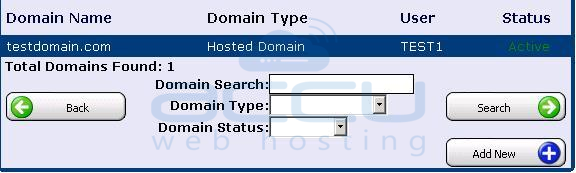
    Select a Domain in which You Want to Install FrontPage Extensions


  4. Now, click on the FrontPage Extensions.
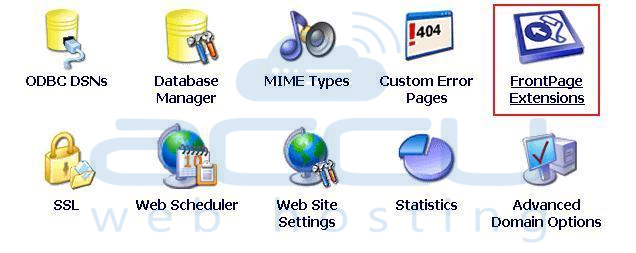
    Select FrontPage Extensions Option


  5. Specify the default email address in Default Email Address field and click on the Install button.
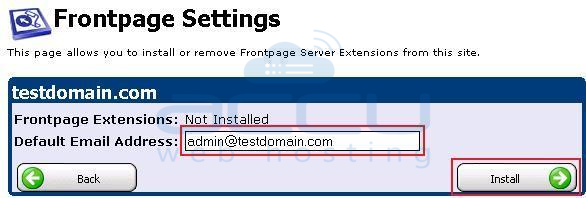
    Define Admin Email Address and Install FrontPage Exntensions


Was this answer helpful? 188 Users Found This Useful (485 Votes)

Powered by WHMCompleteSolution
