
Dev License: This installation of WHMCS is running under a Development License and is not authorized to be used for production use. Please report any cases of abuse to abuse@whmcs.com
Following article will assist you to reset an email account password from WebsitePanel.

  1. Login to WebsitePanel.
  2. Under Hosting Spaces window, Hover mouse pointer on Mail icon and select Accounts.
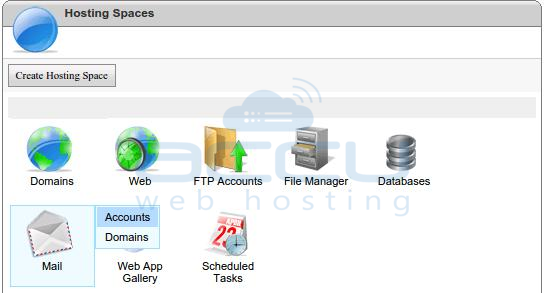
    WebsitePanel Hosting Space

  3. Click on an email account whom you wish to reset the password.
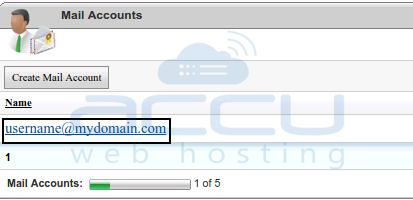
    Choose an Email Address

  4. Enter new password and retype it, keep change password checkbox checked and click on Save.
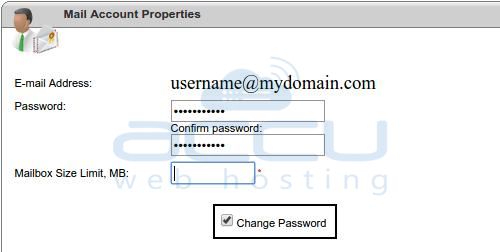
    Change Password

  5. That’s it.

Was this answer helpful? 0 Users Found This Useful (0 Votes)

Powered by WHMCompleteSolution
