
- Login to SmarterMail admin panel (http://IP-address:9998). Here you will see list of all mail domains.
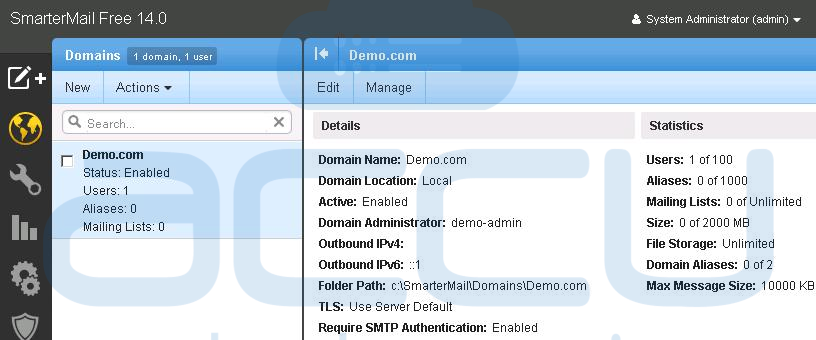
- Now, check the checkbox against domain name whose email address you wish to remove and click on Manage button.

- By clicking on Manage button, list of all created users under selected domain name will be opened in new tab.
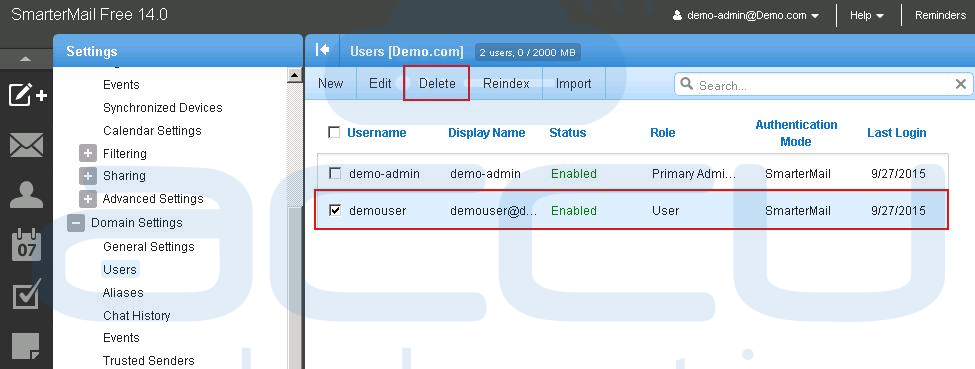
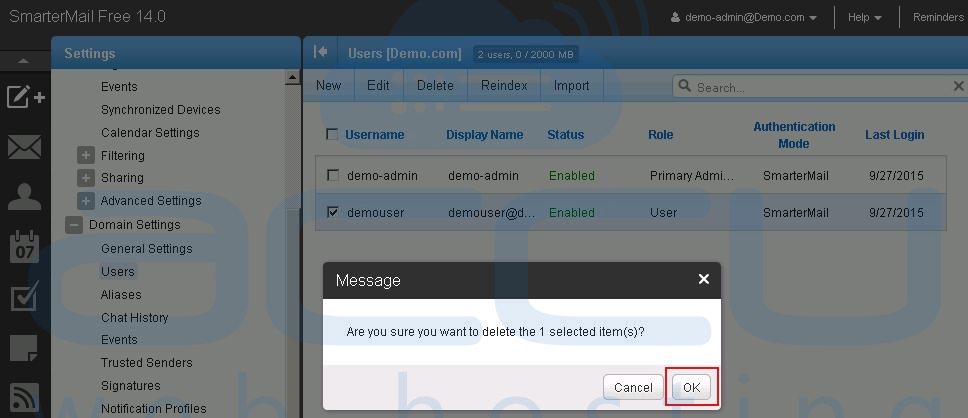
- From the list of all email accounts, check the checkbox against email account you wish to remove and click on Delete button. Click OKÂ button on Delete confirmation message. It will remove the Email account with all its mails. The mails can not be retrived once they removed.
- Login to SmarterMail admin panel (http://IP-address:9998). Here you will see list of all mail domains.
Following article will assist you to delete an email account from SmarterMail.
