
This article will assist you to delete website and website pointer from WebsitePanel.
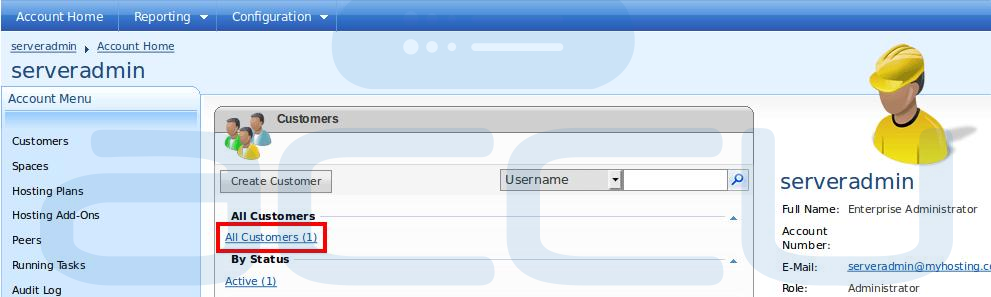
- If you have a reseller or VPS account then first click on All Customers link as shown in following image.
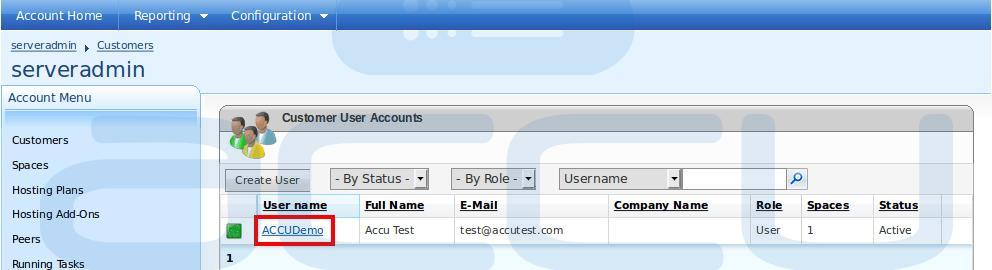
- It will show you list of all customers you have created in WebsitePanel. Click on the customer name under whom you have added website.
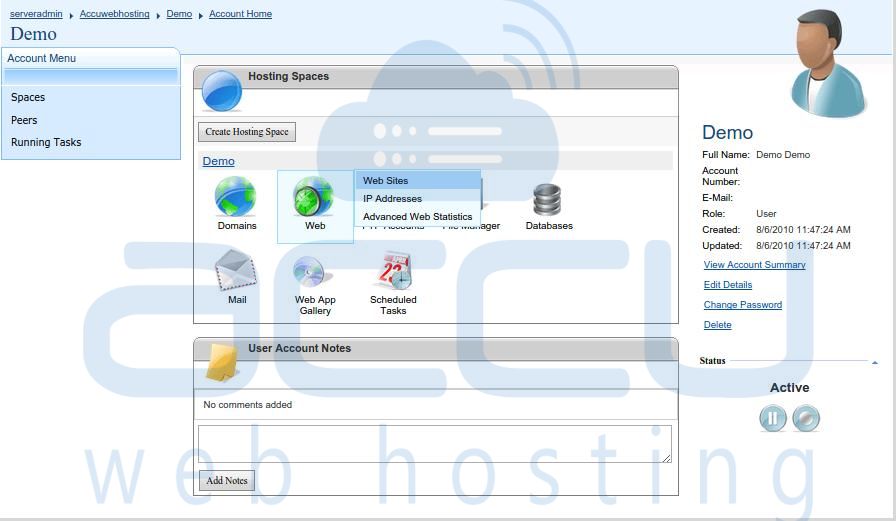
- If you have a shared hosting account then you will see following screen directly once you are logged in to WebsitePanel. Under Web menu select Web Sites option.
- You will see list of created websites here. Click on website you want to remove.

- At Web Site Properties section, you would see list of all website pointers under domain name. Click on red cross mark to delete website pointers.

- If you want to delete complete website, you would see delete button at bottom. Just click on Delete button and your website will be removed.
