There have now been several large scale WordPress wp-login.php brute force attacks, coming from a large amount of compromised IP addresses spread across the world. You can follow below options to secure your Wordpress Admin area.
Option 1 - Allow Wordpress Admin access from a specific IP
- login into your cPanel account.
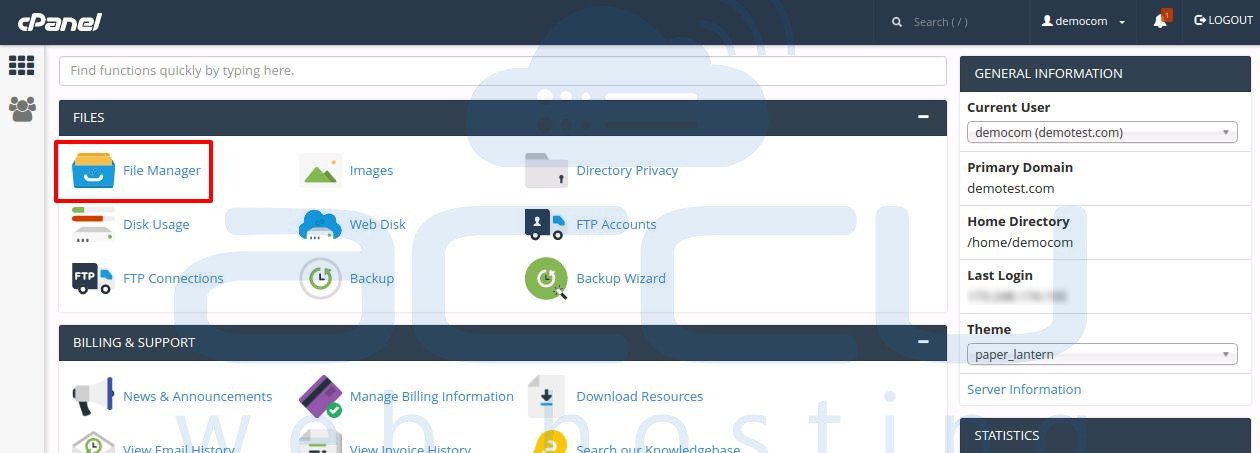
- Â Find the Files category and click on the File Manager icon.
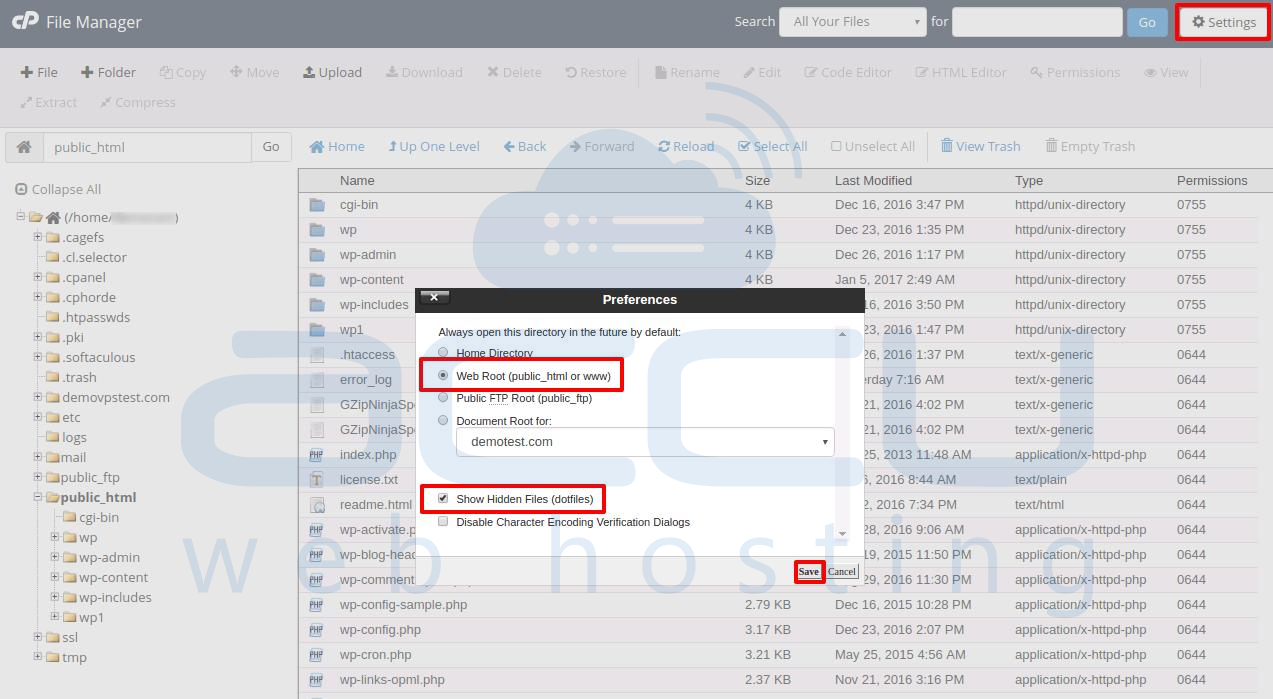
- Click Settings at the top right corner. In the popup tab select the Document Root for your domain and be sure the checkbox next to Show Hidden Files is checked. Click the Save button.
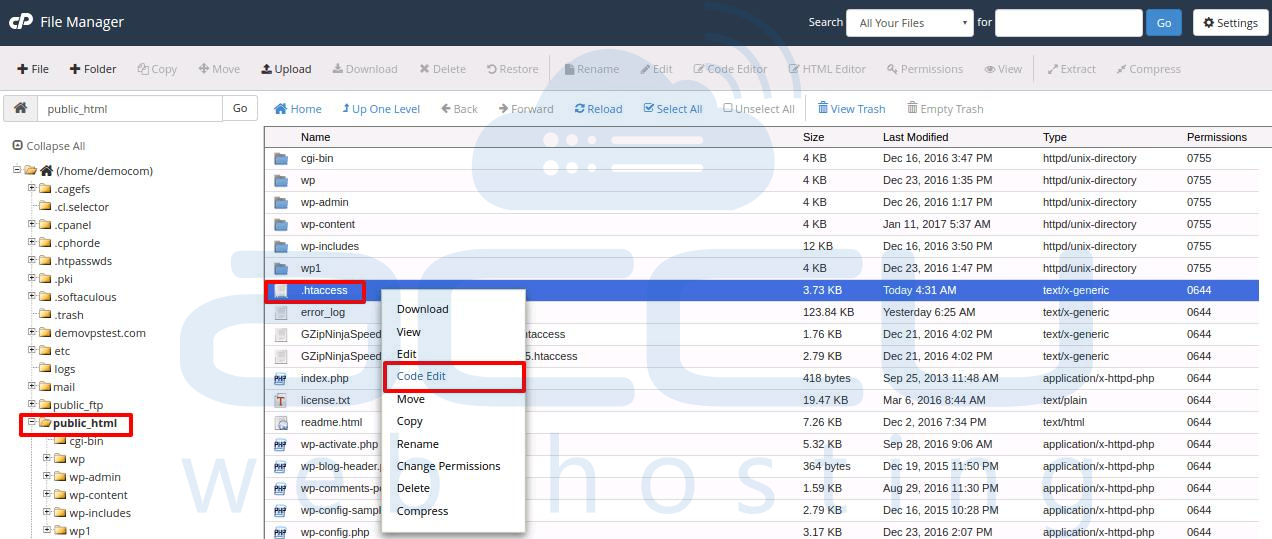
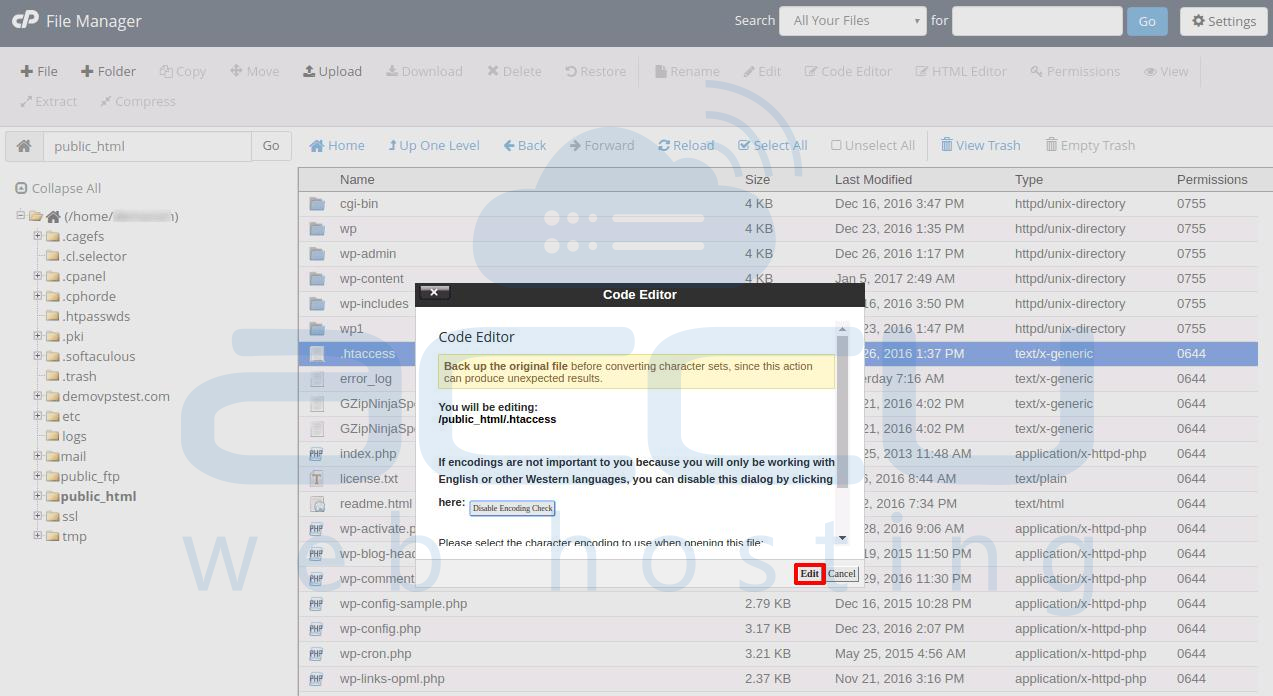
- Now look for the .htaccess file and right click on it. This brings up a menu. Find and click on the Code Edit option.
- In the popup window Click on Edit and file will open in an editor.
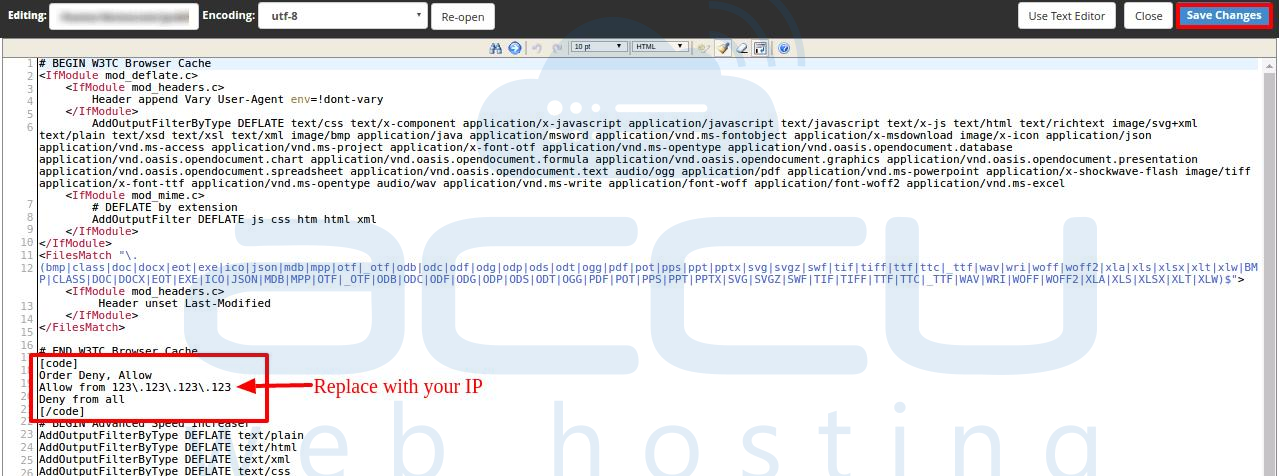
- Enter the below code to allow access from a single IP address, replace 123\.123\.123\.123 with your own IP address. To get your IP address click here. Once the code is added click on Save Changes.
[code]
Order Deny, Allow
Allow from 123\.123\.123\.123
Deny from all
[/code]
Option 2 - Change WordPress Admin URL
- login into your WordPress Admin dashboard.
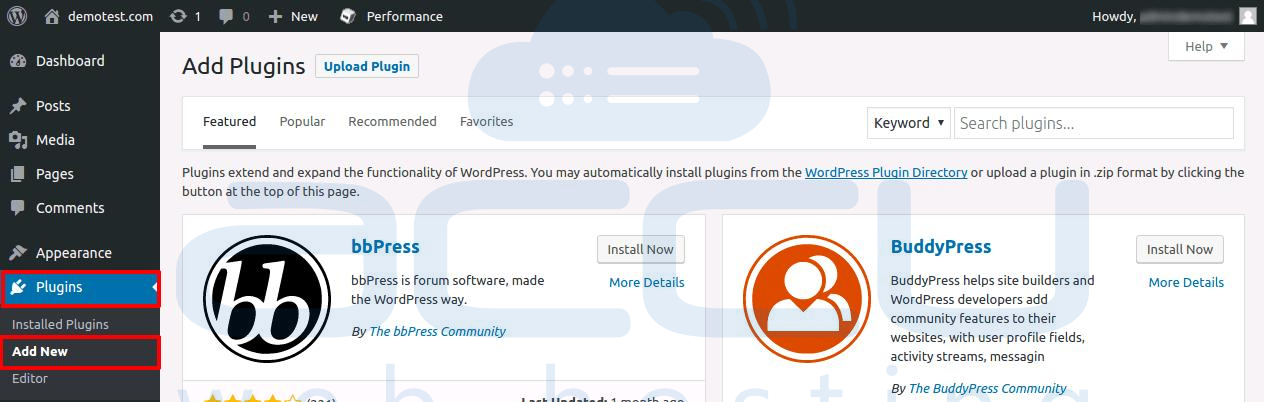
- Goto Plugins and click on Add New.
- Search for Plugin Protect Your Admin. It will display the list of plugins.
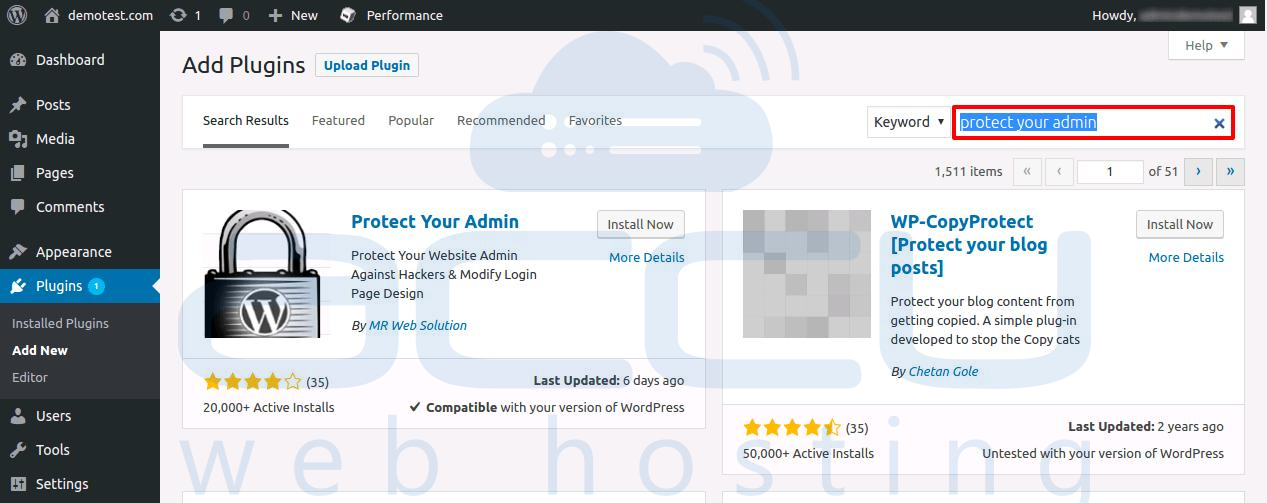
- Click on Install for Protect Your Admin plugin. It will install the plugin.
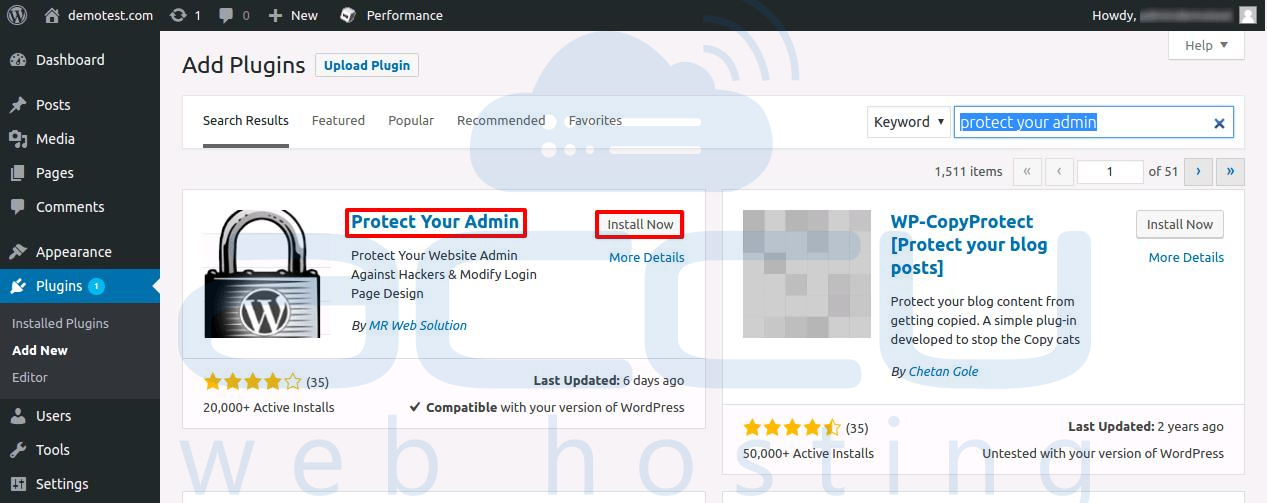
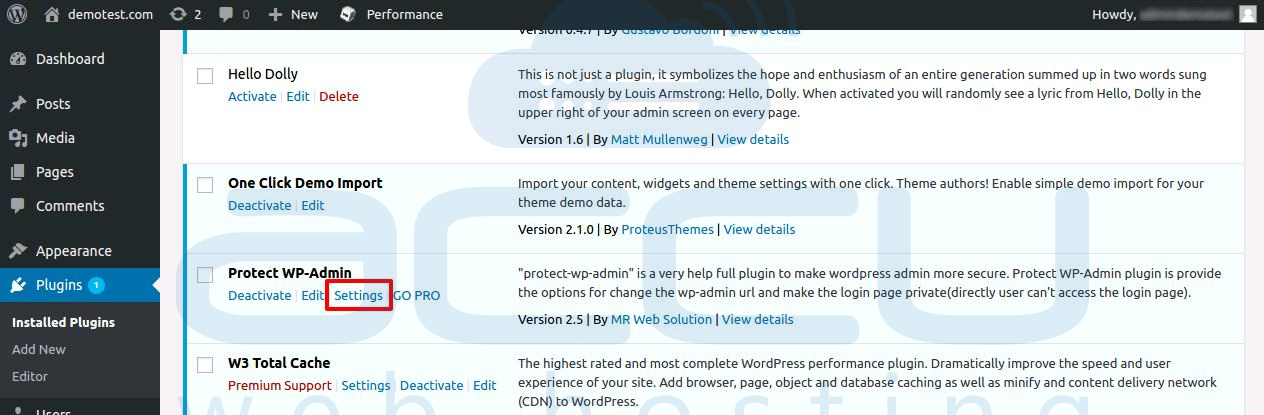
- Once the plugin is installed, click on Activate and you will get redirected to installed plugin page. Click on Settings on Protect Your Admin plugin.
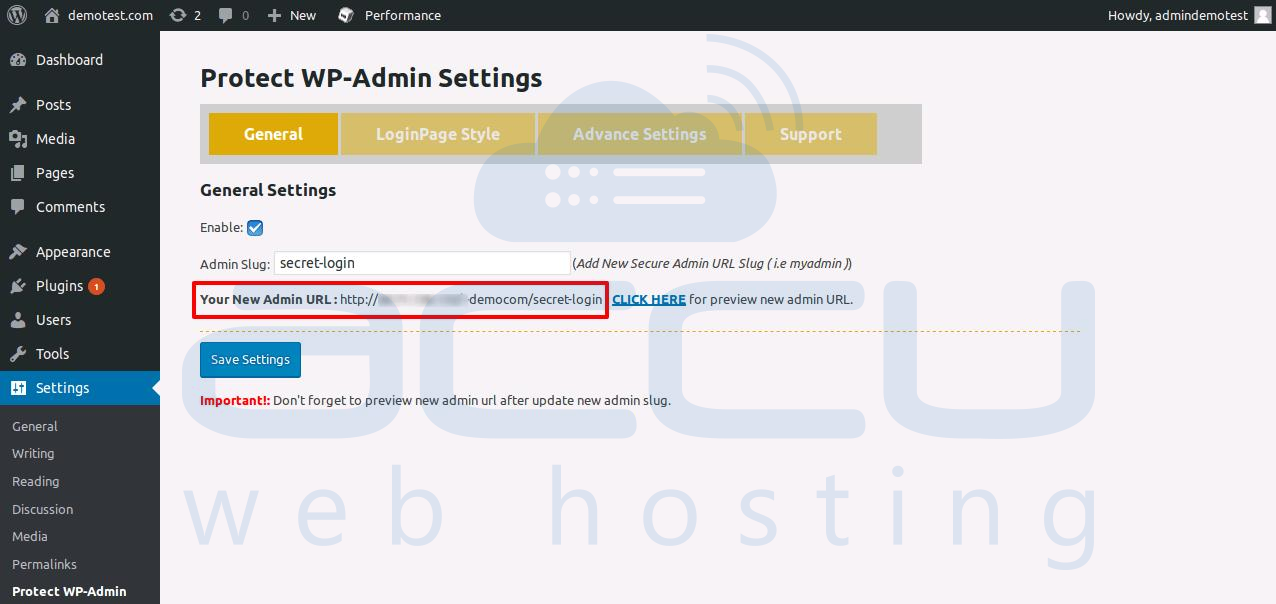
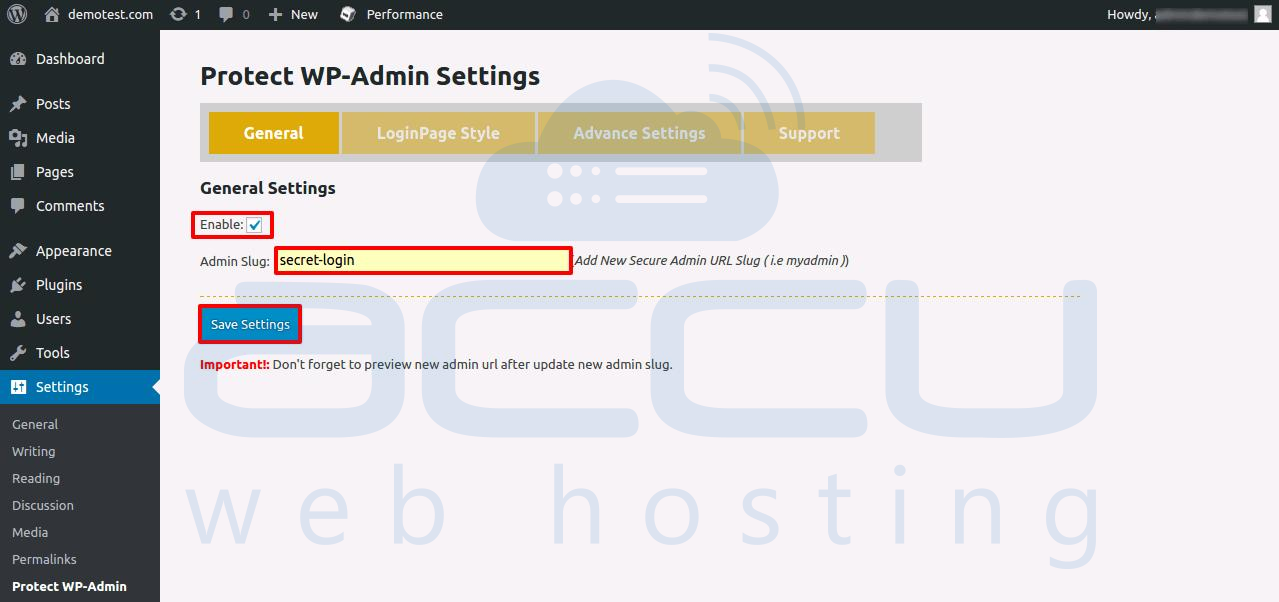
- In the settings page, Click on check box Enable. In Admin Slug box you can input any Slug and it will be used to access your WordPress admin login page. We are using secret-login here as an example. Click on Save Settings.
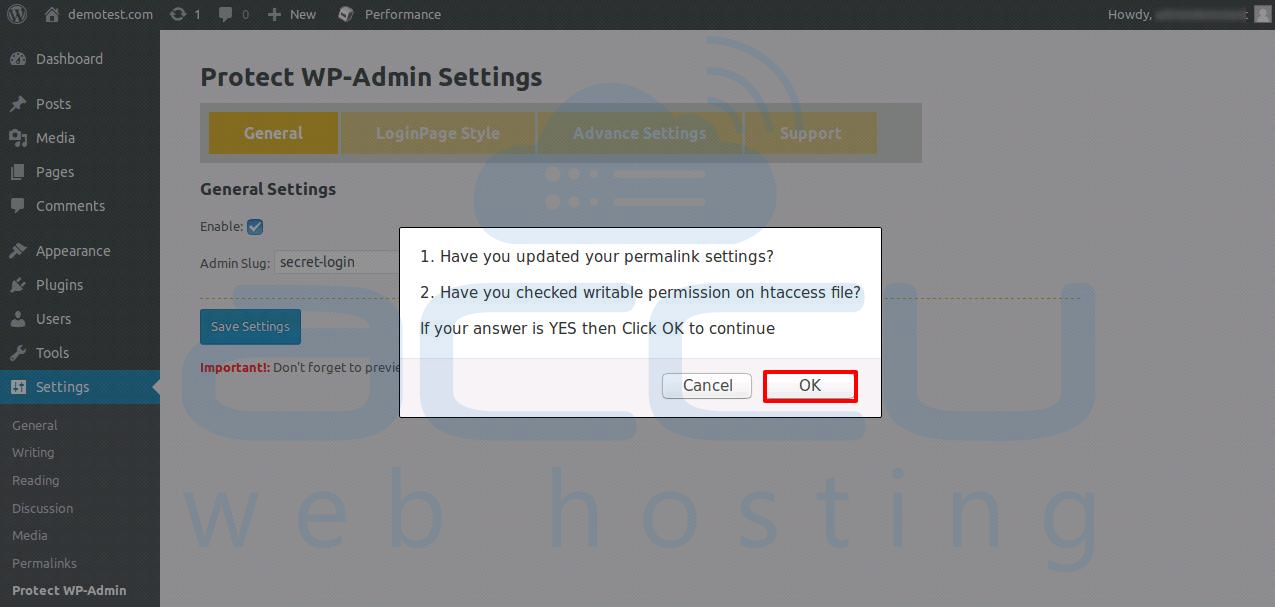
- Once you click on Save Settings, you will receive a popup message. Click on OK.
- You will get your new WordPress admin login URL. Now you can access your WordPress dashboard using the new URL.