
In order to prevent fraudulent activities, we use a fully automated order verification system. All new orders are verified through this email/phone verification process.
Video Tutorial
Â
How Do I Verify My Email Address?
You will see the pending email verification status in your client area if email verification is pending.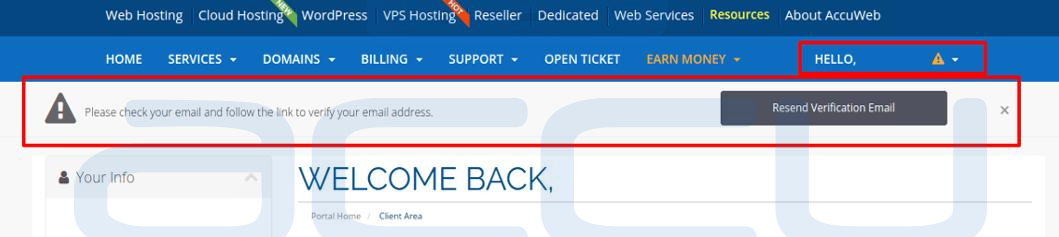
We send an email along with a verification link to the registered email address once you complete the registration form. You can click on Resend Verification Email button if you didn't receive the email.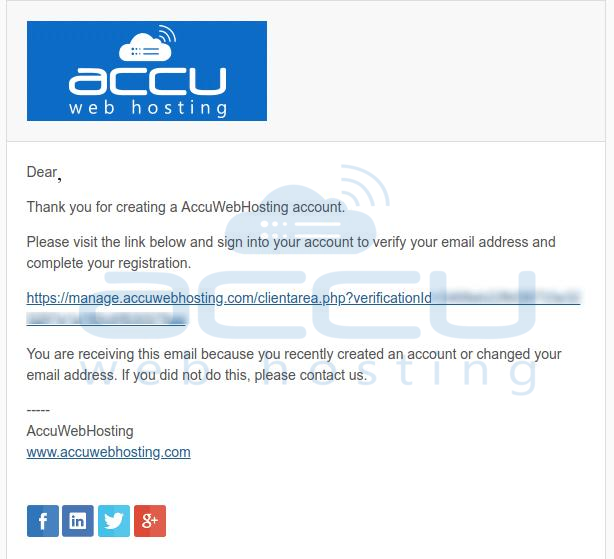
Just click on the link provided in the verification email and login to the Accuwebhosting client area to complete the email verification process.
Â
How Do I verify my phone number?Â
We send a One Time Code (OTP) to your registered phone number while you register with us. You need to verify your phone number from the client area.
You will have an exclamatory mark beside your name if the phone verification is pending. Expand the exclamatory mark and clickon the Phone Verification button.
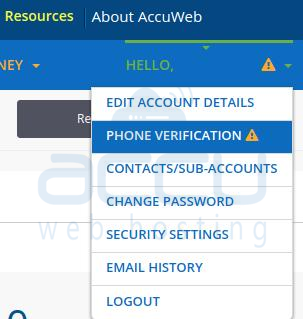
It will redirect you to the phone verification page. Verify your phone number and enter the OTP code. You can also regenerate the OTP code if the previous code is invalid or expired.
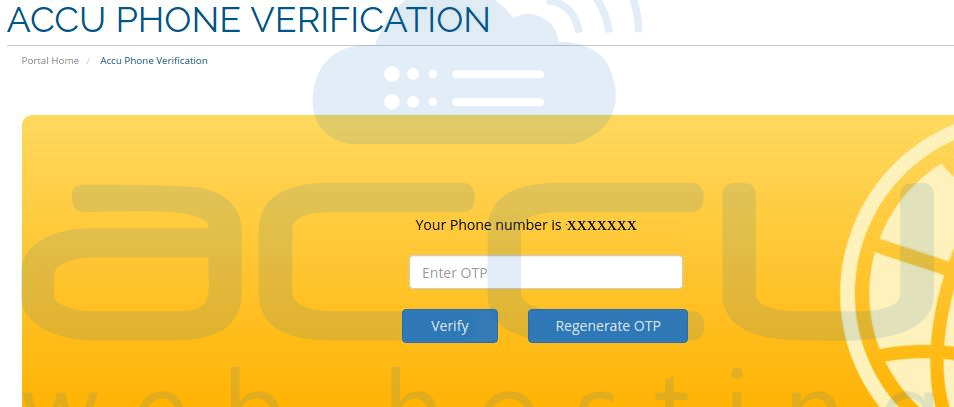
That's it !! It will complete the phone verification process and the exclamatory sign will no longer display on your client area dashboard.
