Dev License: This installation of WHMCS is running under a Development License and is not authorized to be used for production use. Please report any cases of abuse to abuse@whmcs.com

Here are the steps to change the version of ASP.NET from WebsitePanel:


  1. Login to your WebsitePanel.

  2. Navigate to your user [if your are having a Reseller account].

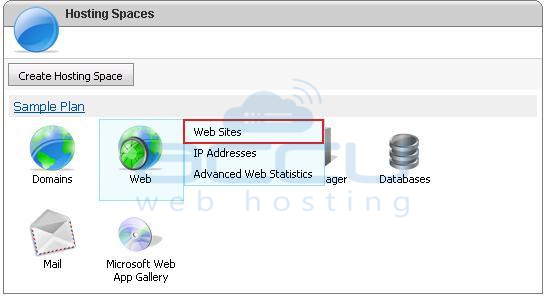
  3. Click on Web -> Web Sites option.

    Select Websites Option from WebsitePanel


  4. In the Web Sites screen, click on your web site name e.g. accu-test.com.

    Click on Website Name for Which You Need to Change Version


  5. In the Web Site Properties screen, click on Extensions tab.

    Click on Extensions Tab


  6. Select your desired version of ASP.NET from the drop-down menu and click on Update button.

    Select Desired Extension and Save

Was this answer helpful? 2 Users Found This Useful (7 Votes)

Powered by WHMCompleteSolution