
Steps to Change Application Pool of a Website from IIS:
- Login to your VPS.
- Open Start > Administrative tools > IIS Manager.
- Expand the “Sites†folder from left-side panel.
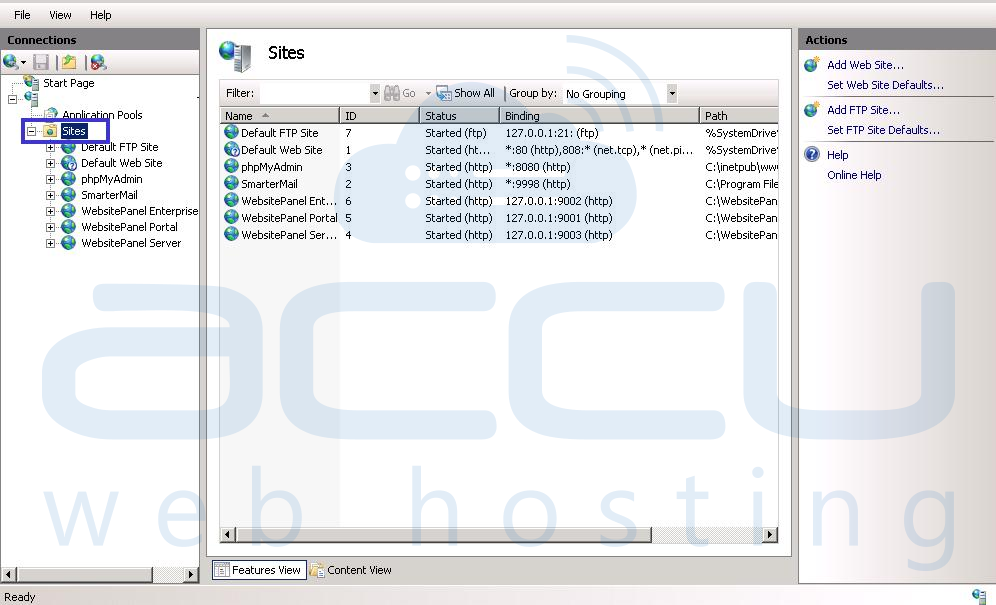
- Select the particular website which is facing 'targetFramework' error.
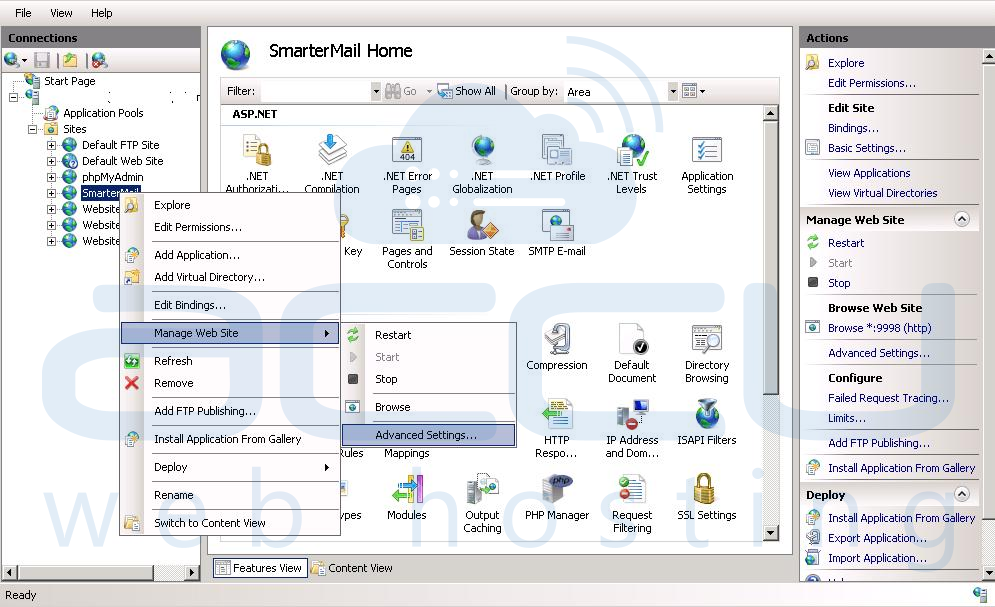
- Right click on the Website and select Manage Web Site > Advanced Settings, as shown in following image:
- Change the ‘Application pool’ to ASP.NET 4.0 as below.
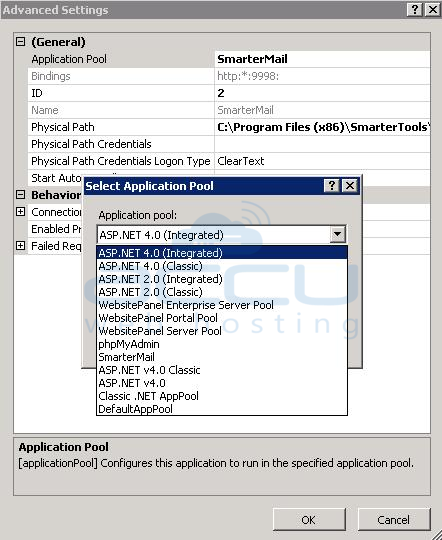
- Click on OK command button.

Another Way to Change Application Pool is as below:
- Open Start > Administrative tools > IIS Manager.
- Click on Application Pools and select the dedicated application pool (Only if website is having dedicated application pool) as shown in following image:
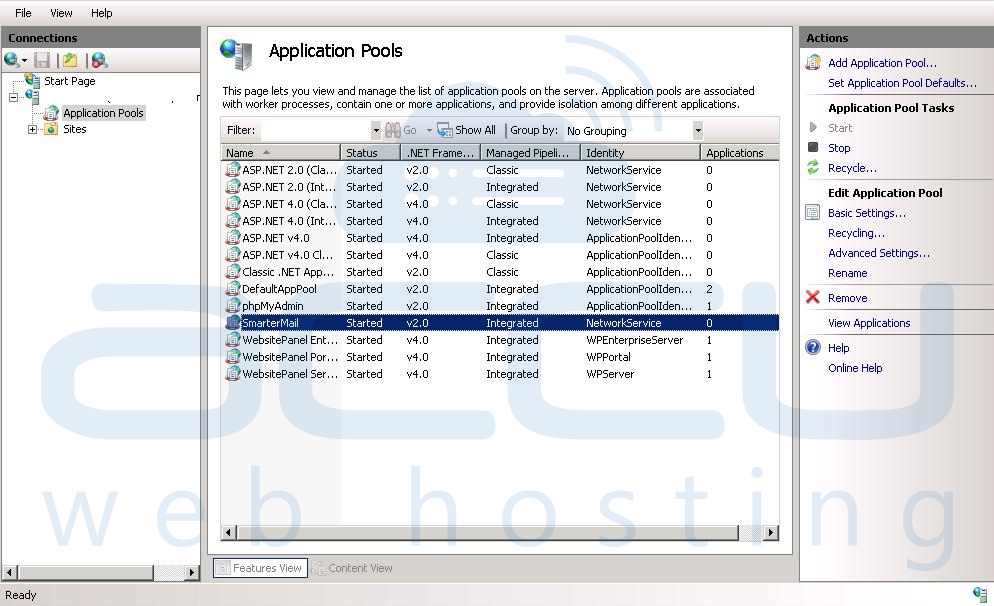
- Set the version of ASP.NET to 4.0, as shown in following image:
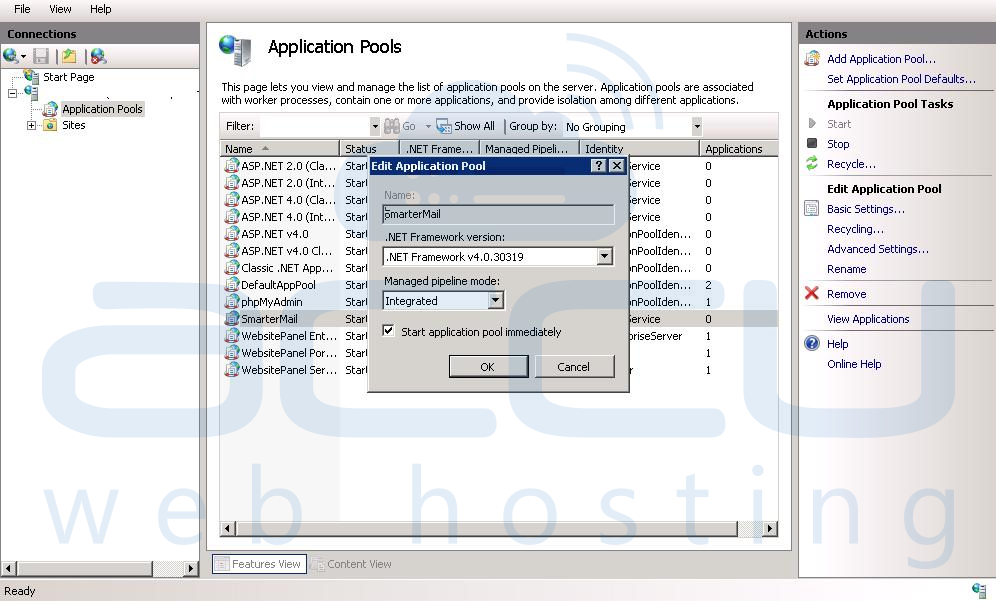
- Click on OK command button.
Note: If you are having a control panel then we recommend you to change the application pool from there.
