
- Login to MS SQL Server 2012 through SQL Management studio with 'sa' user.
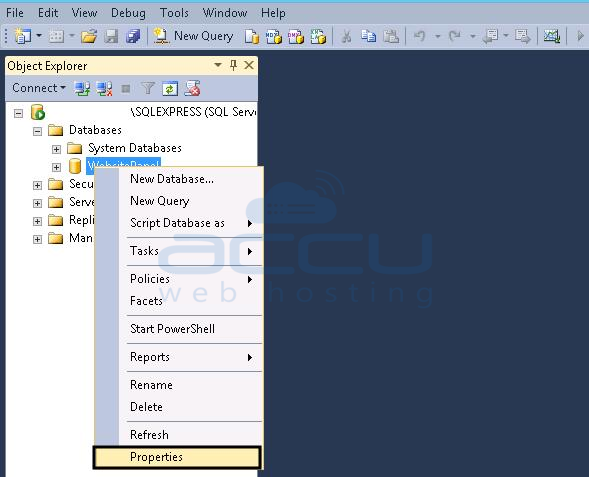
- Expand the Databases and select the database whom language you want to change.
- Right click on the database name, click on Properties.
- Select the Options menu and change the Containment type to Partial from None.
- Change default Language to your desired language.

- Click on OK button and apply the changes. Restart MS SQL Server through MS SQL Server Configuration Manager.
- Again change Containement type to none as described in Step #4.
Following article will guide you to change database language in MS SQL 2012 server.
