Dev License: This installation of WHMCS is running under a Development License and is not authorized to be used for production use. Please report any cases of abuse to abuse@whmcs.com
In order to cancel the service, first you need to login to the client area. If you do not know how to log in then refer to these instructions. Once you are logged in perform the following steps:

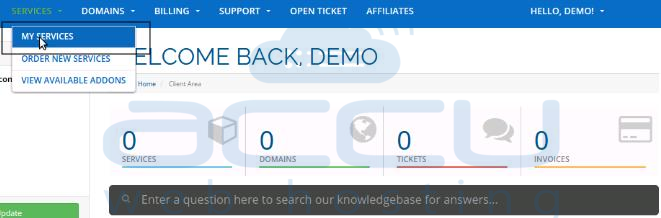
  1. Click on Services -> My Services tab.

    My Services

  2. After that, click on View Details button against the service which you want to cancel. Refer the below screen capture:
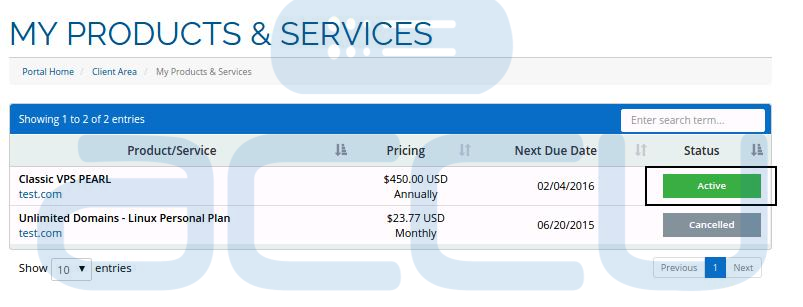
    View Details of a Service

  3. Then after click on Management Actions -> Request Cancellation.
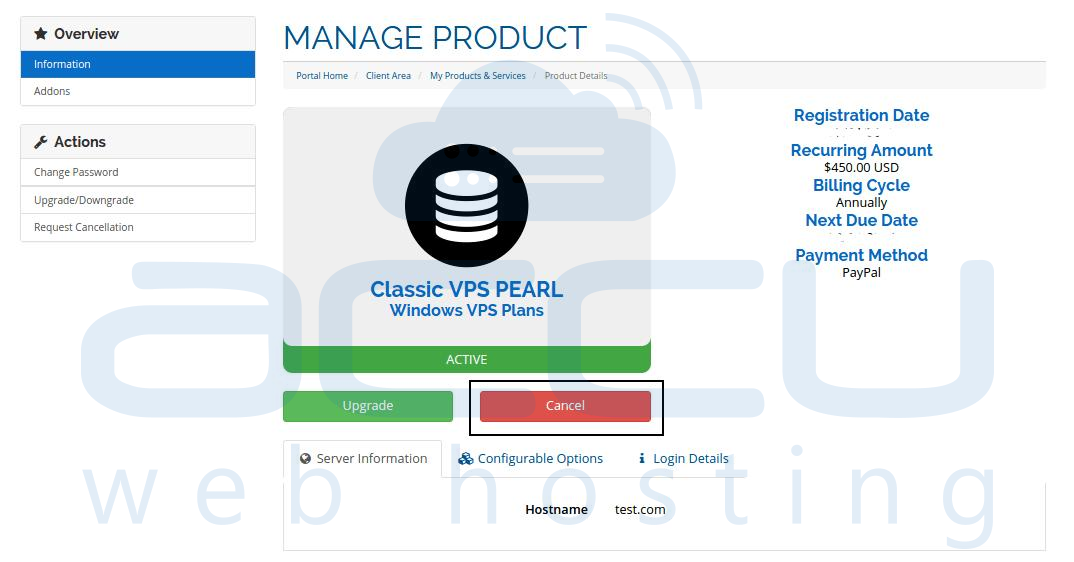
    Request to Cancel a Service

  4. You can specify the reason for the service cancellation and select the cancellation type, then click on Request Cancellation button to proceed further.
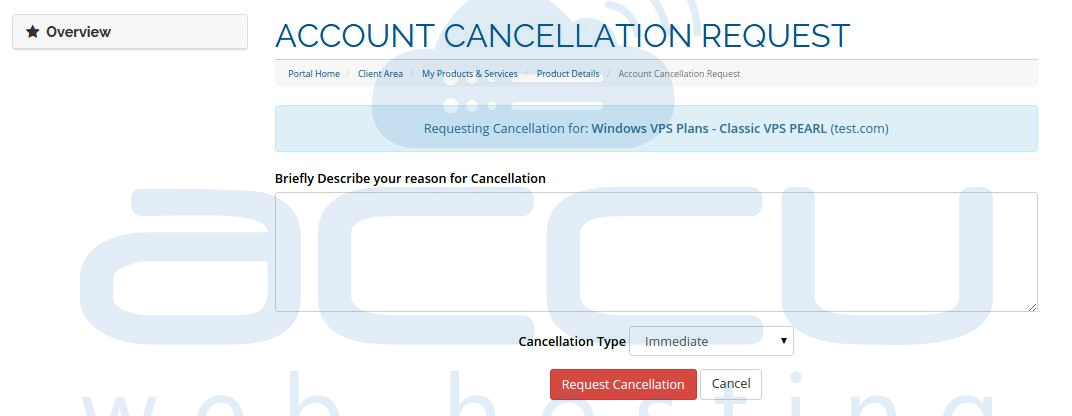
    Descrive the Reason for Service Cancellation and Submit

  5. Once you send a cancellation request, you will receive a confirmation email at your billing email address.

As an alternative, you can directly submit a cancellation ticket at our billing department.

Was this answer helpful? 5 Users Found This Useful (12 Votes)

Powered by WHMCompleteSolution